
How to Share Photos Online Without Creating an Account
Tired of sign-ups just to send a picture? Learn how to share full-quality photos online in seconds with a direct link — anonymously and for free — using PikDB.
On this page
You took a photo, and now you just want to **send it to someone** — in full quality, without it getting squashed, and without signing up for yet another service. This guide shows you the fastest way to do exactly that.
The trick is something called a **direct image link**: a web address that points straight at your picture. Instead of attaching a file (which can be too big) or posting to a platform (which compresses and wraps it), you share one tidy link that opens the original image anywhere.
The 30-second method
- 1
Open the upload page
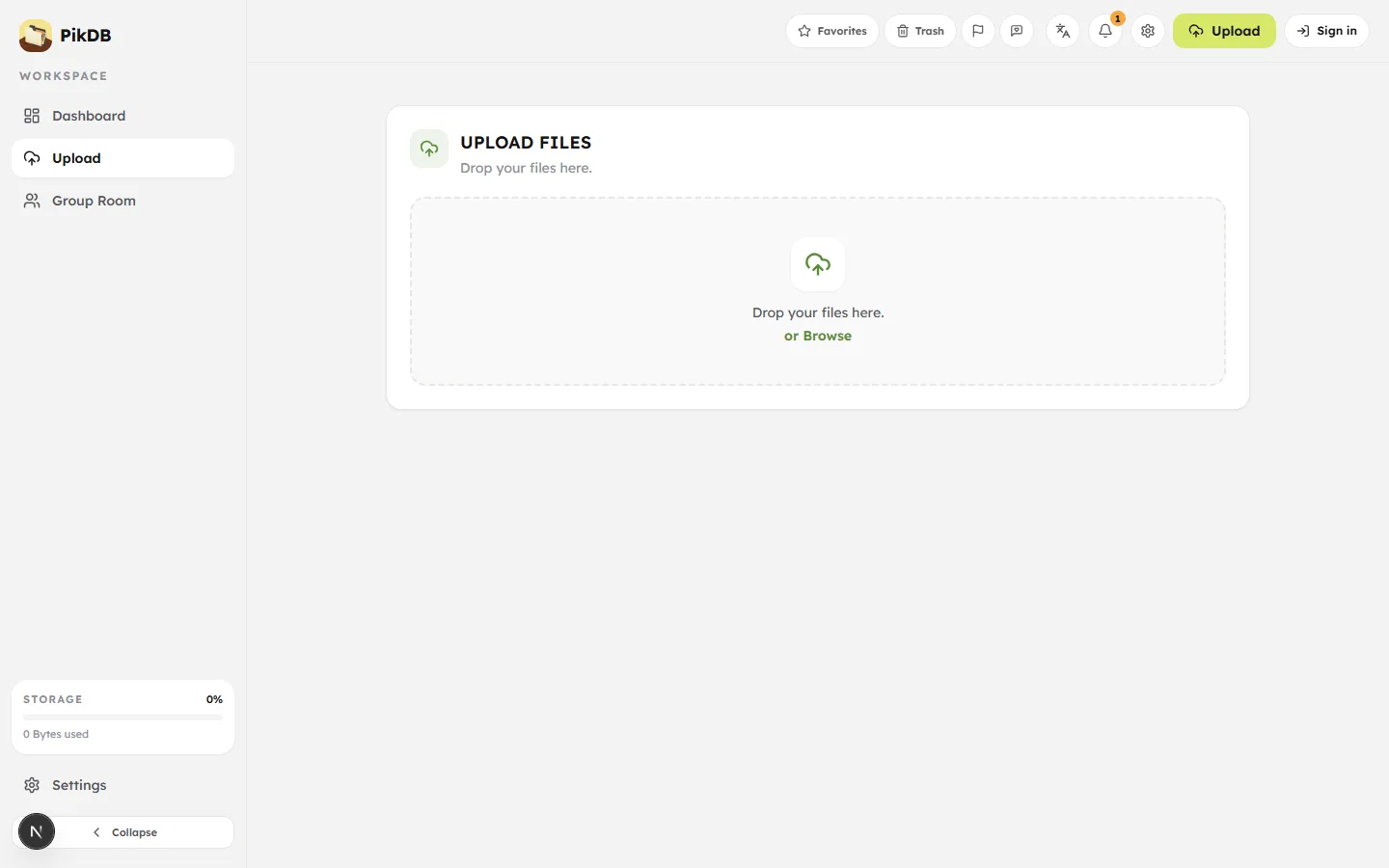
Go to the PikDB upload page. There is nothing to install and nothing to sign up for.

- 1Click anywhere in the dashed zone to pick a file, or drag a photo onto it.
The upload zone is the large dashed area in the middle of the page. - 2
Add your photo
Drag a picture from your computer, or click to choose one from your device. On a phone, pick from your gallery or snap a new photo.
- 3
Copy the link
When the upload finishes, PikDB gives you a shareable view/download link. Tap or click **Copy**.
- 4
Paste it anywhere
Drop the link into WhatsApp, email, Discord, a forum post, a document — wherever you need it. The recipient clicks and sees the full image.
That's the entire process. No email verification, no password, no app download. If you only need to share one picture, you can stop reading here — you're done.
Why not just use chat or social media?
You can, but there are real downsides, and it helps to know what they are:
| Method | The catch |
|---|---|
| Email attachment | Often bounces when the file is larger than ~25 MB. |
| WhatsApp / Messenger | Re-compresses photos, so quality drops noticeably. |
| Instagram / Facebook | Wraps your image in their UI, ads, and tracking; hard to link directly. |
| Google Drive / Dropbox | Usually needs sign-in, and "share" links can expose more than one file. |
| A direct link (PikDB) | Full quality, loads anywhere, nothing to sign up for. |
What "anonymous" really means here
Uploading anonymously means you are **not attaching your name, email, or identity** to the picture. PikDB doesn't make you register to upload. That's great for privacy and speed.
A public direct link can be opened by anyone who has it. That's the whole point — it makes sharing easy — but it also means you should share the link only with the people you intend to reach. For anything sensitive, use a **group room** so only invited members can see it.
When you should make a free account anyway
Anonymous sharing is perfect for one-off pictures. But if you share images regularly, a **free account** saves you headaches:
- Your uploads are saved to **your library**, so you can find and re-copy links later.
- Your collection **follows you across devices** — upload on your laptop, grab the link on your phone.
- You can **recover your images** if you lose or reset a device.
- You can organise with **folders and favourites** instead of hunting through history.
The nice part: you can start anonymous and **claim your uploads into an account later**, so nothing you shared as a guest is lost.
Share your first photo now
Open the upload page and get a shareable link in under a minute — no account required.